Facebook business manager will have two different user interfaces. This first example will be using the traditional business manager interface. If you are using the new business suite please Click Here.
In order to run any facebook or Instagram As campaign RankPay will need access to the facebook Page, Ad Account, Instagram Account, Pixel, Catalogs, and Domain Access.
Page
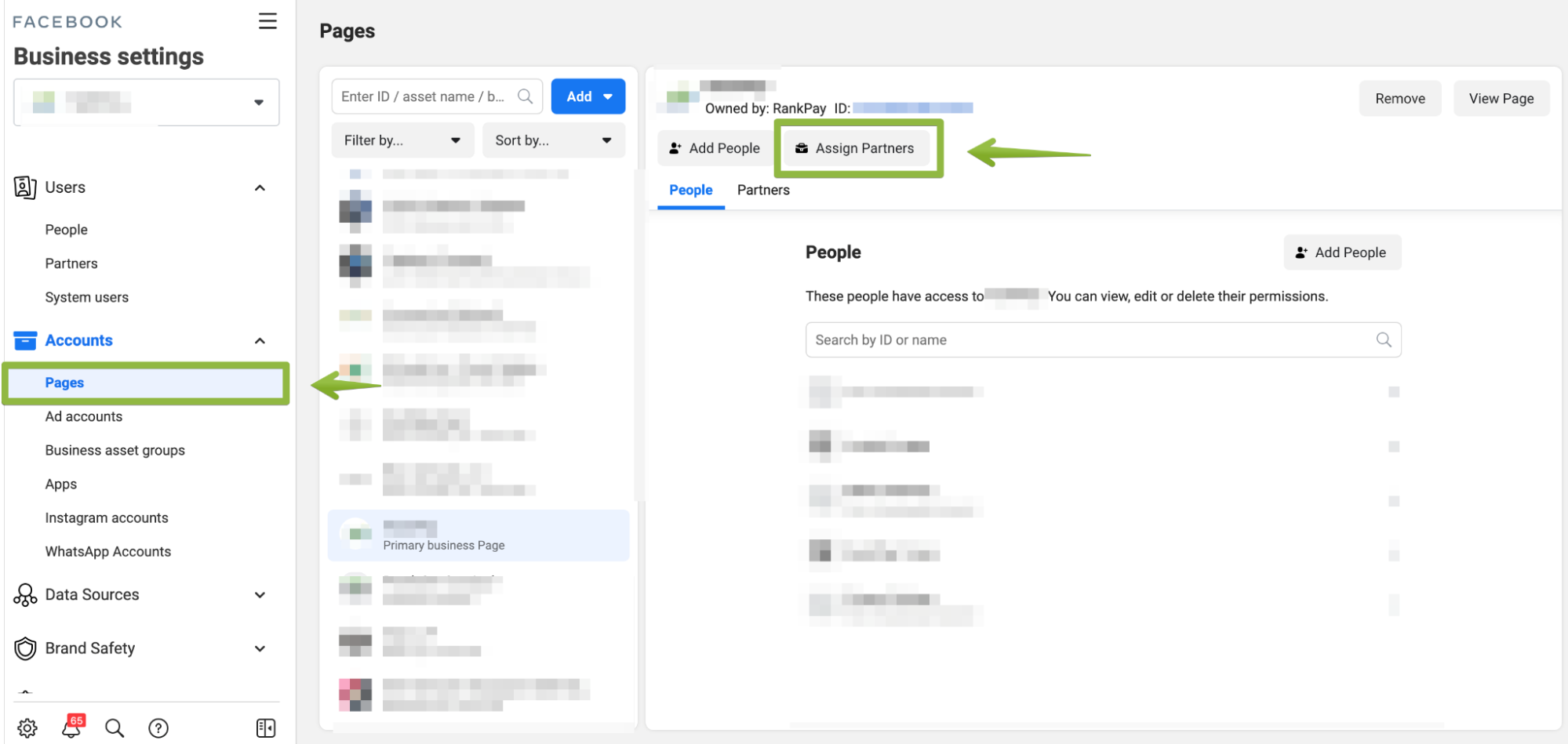
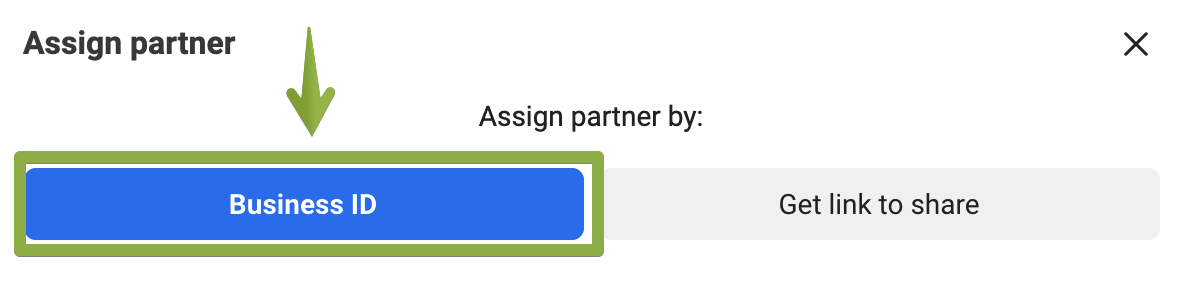
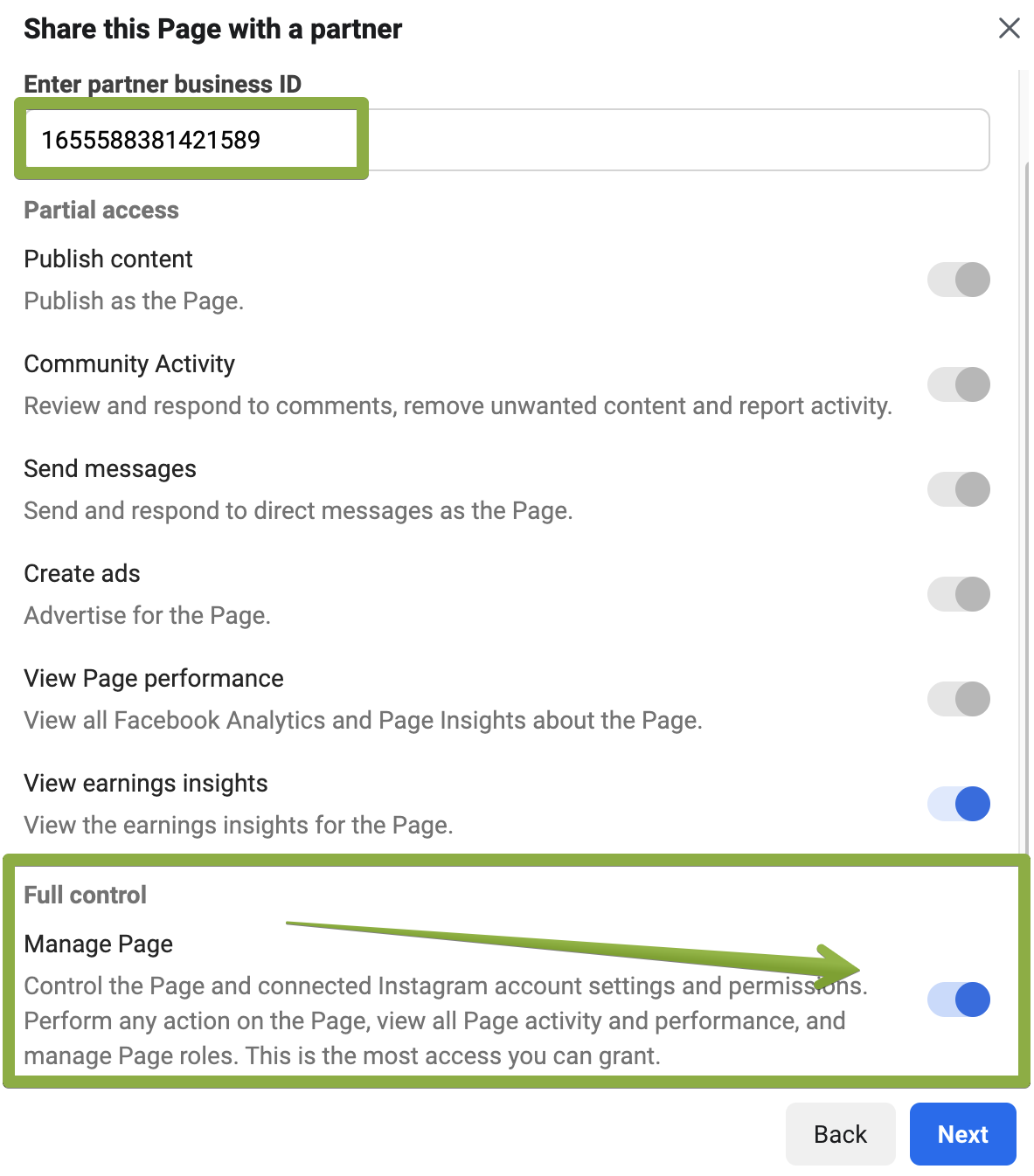
Ad Account
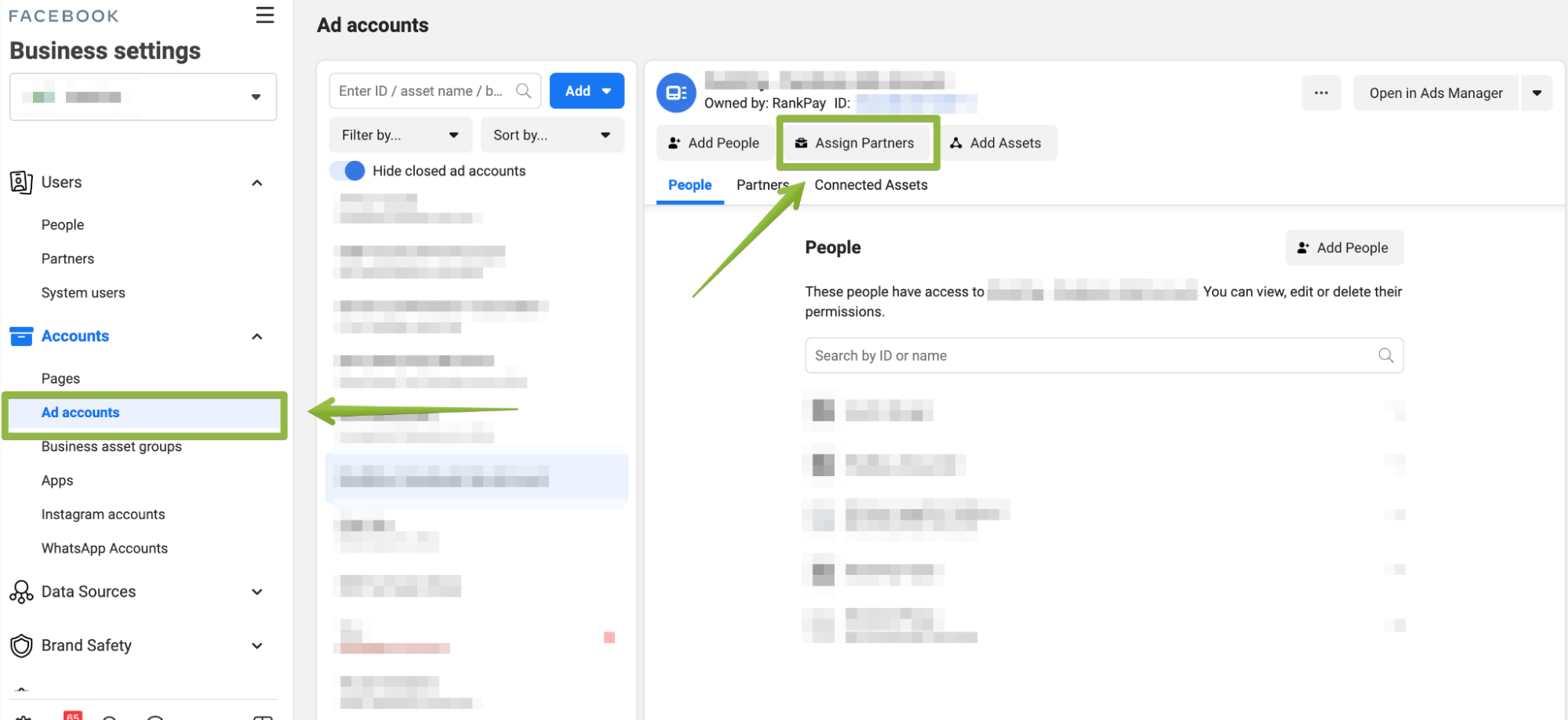
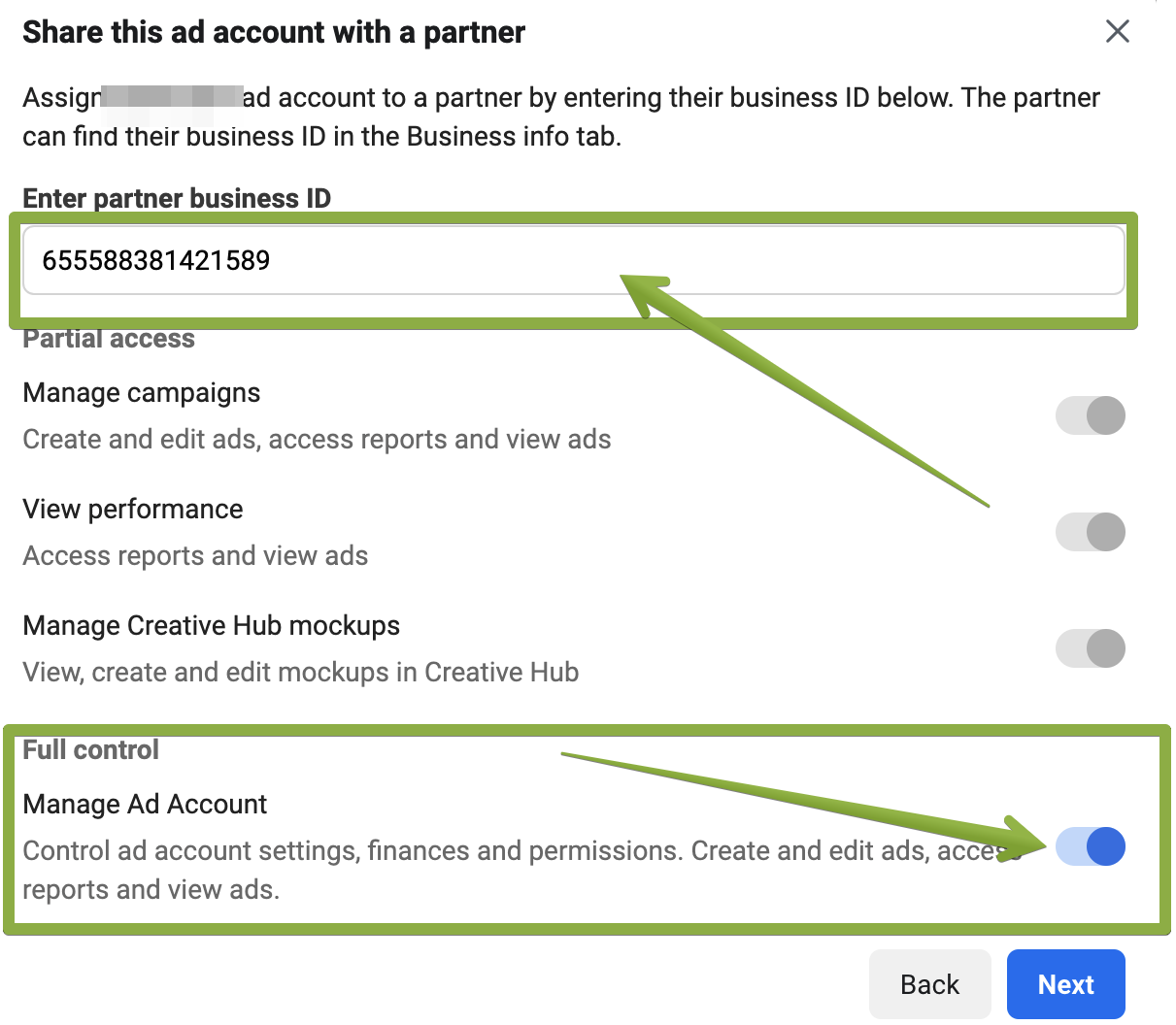
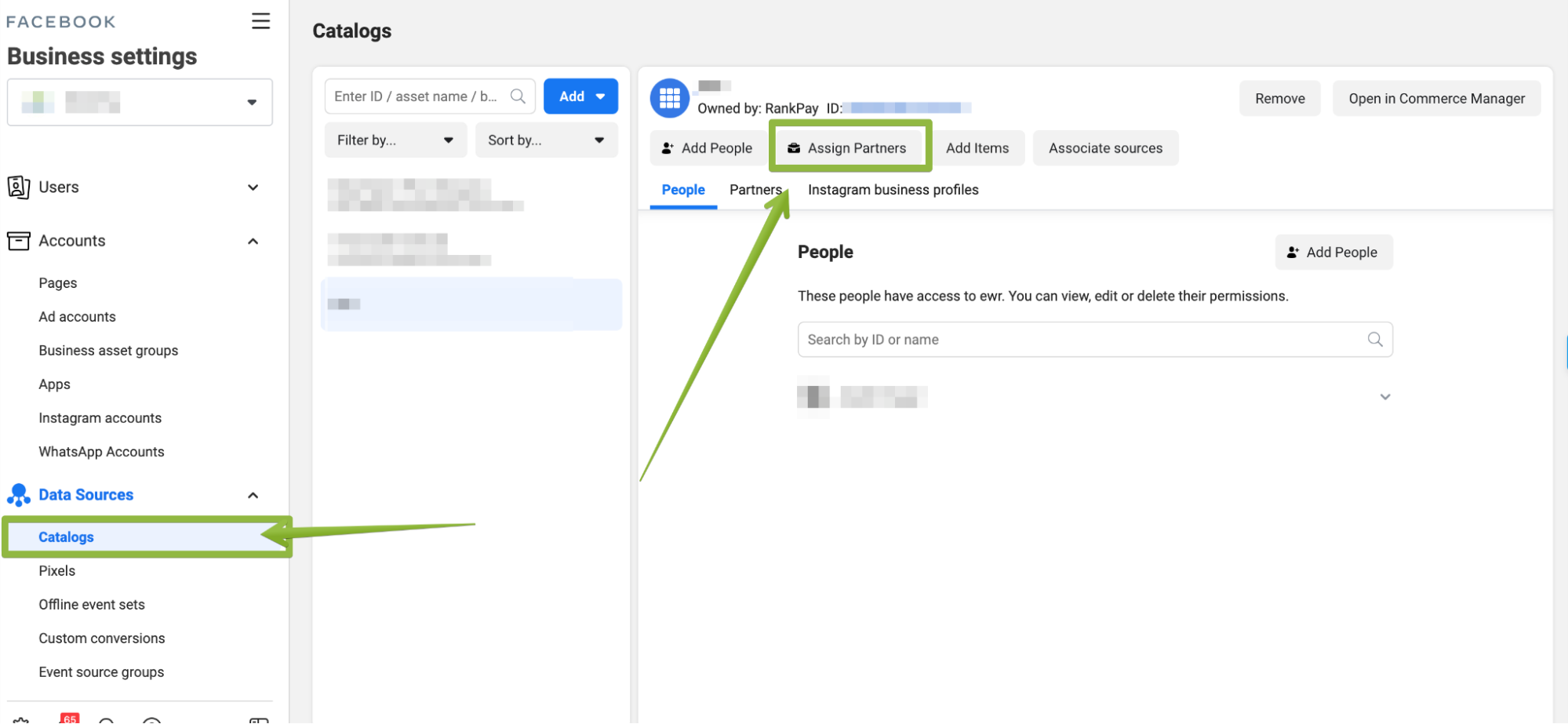
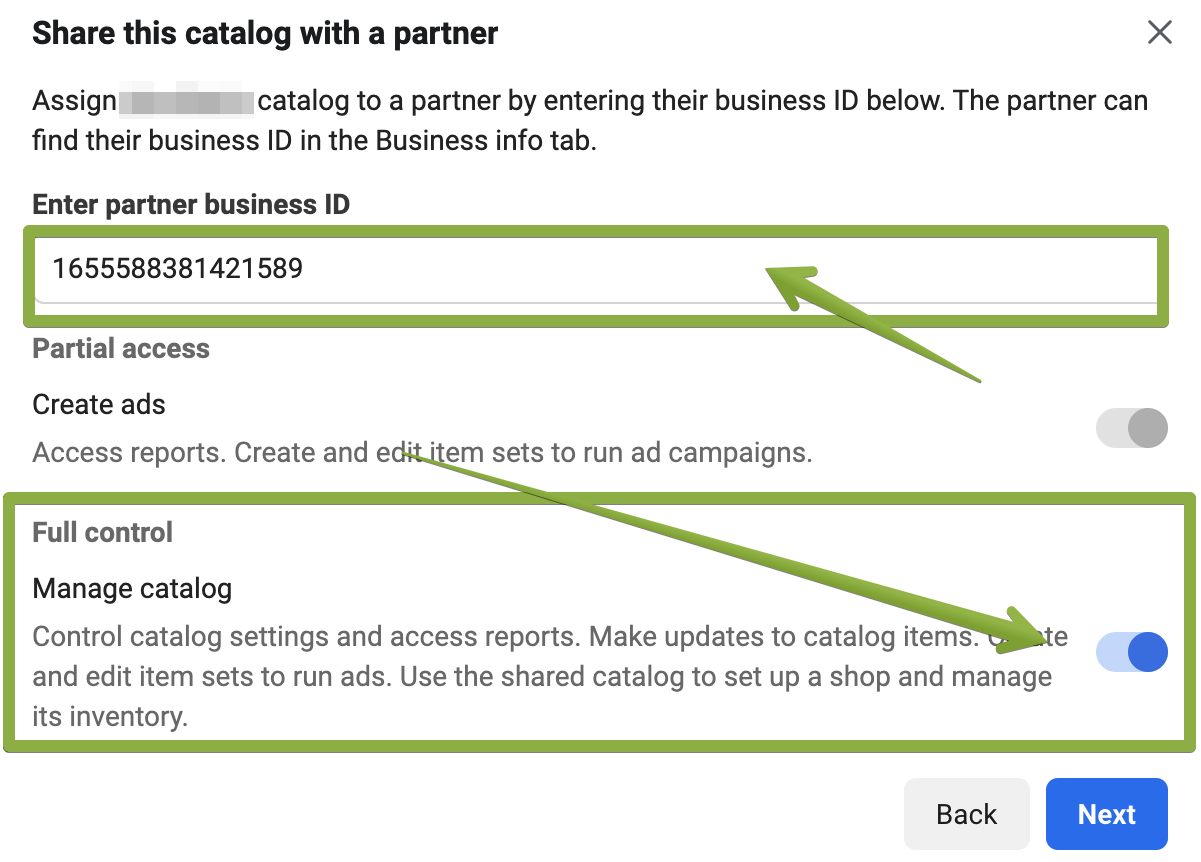
Catalog
If you are selling products that require the use of a Facebook Product Catalog we will need access to the catalog in order to use it in our ads
Facebook Pixel
In order to track the performance of our ads we will need access to the facebook pixel, if you do not have a facebook pixel let your account manager know so that one can be created for you. (if created we will give full ownership of the pixel)
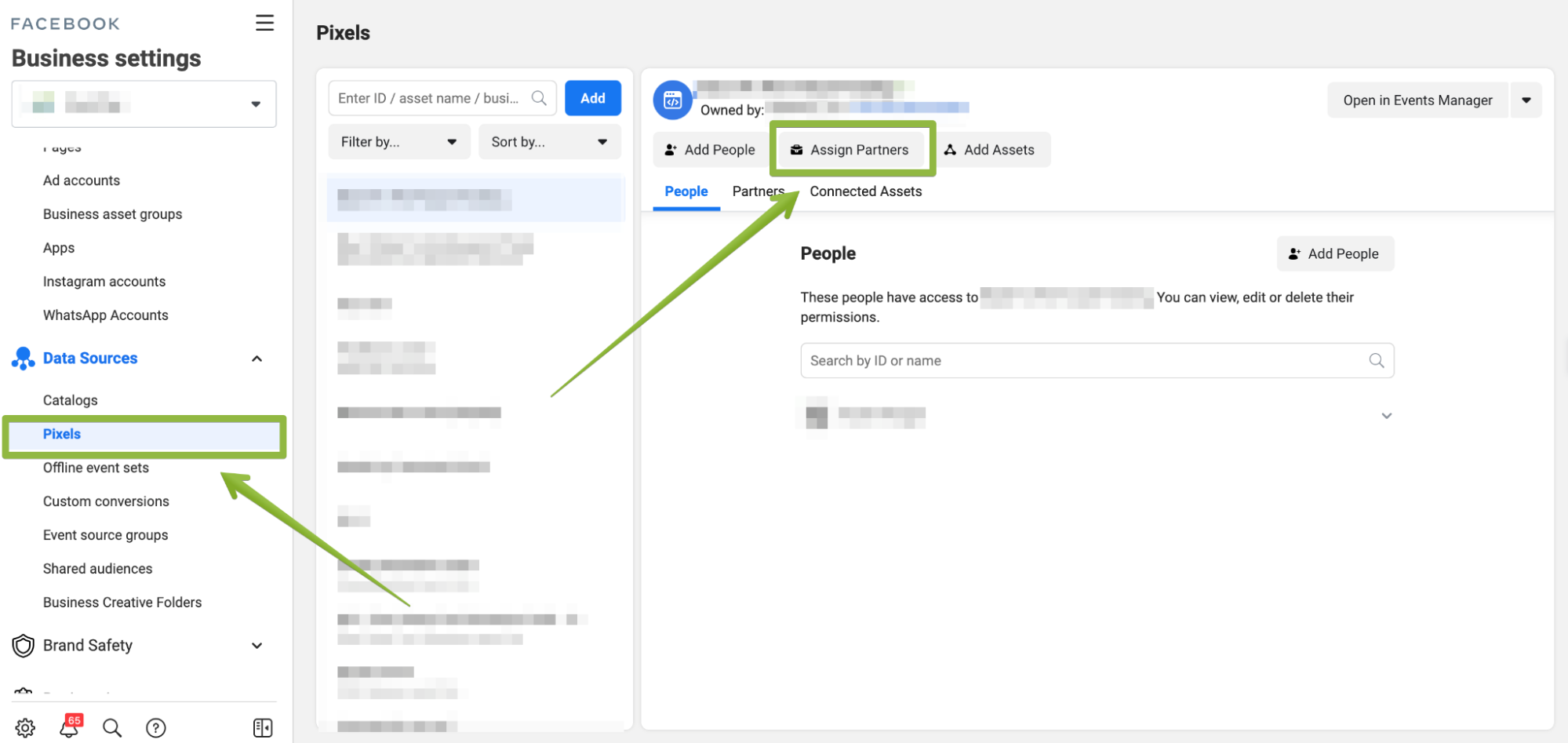
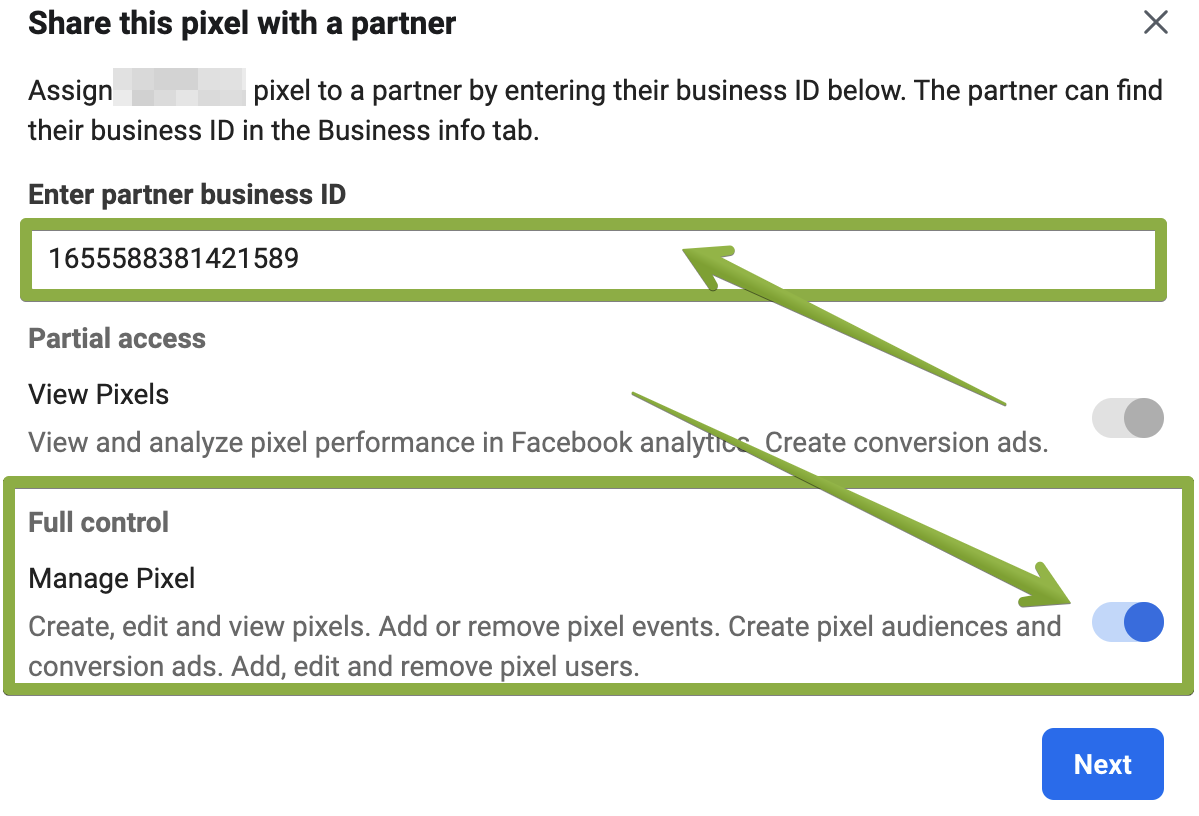
Domain Access
Because of the new changes within the facebook ads platform we often require the implementation of a server side tracking setup. This allows us to accurately report success metrics to you. Read more about the changes here, and see why facebook recommends this configuration.
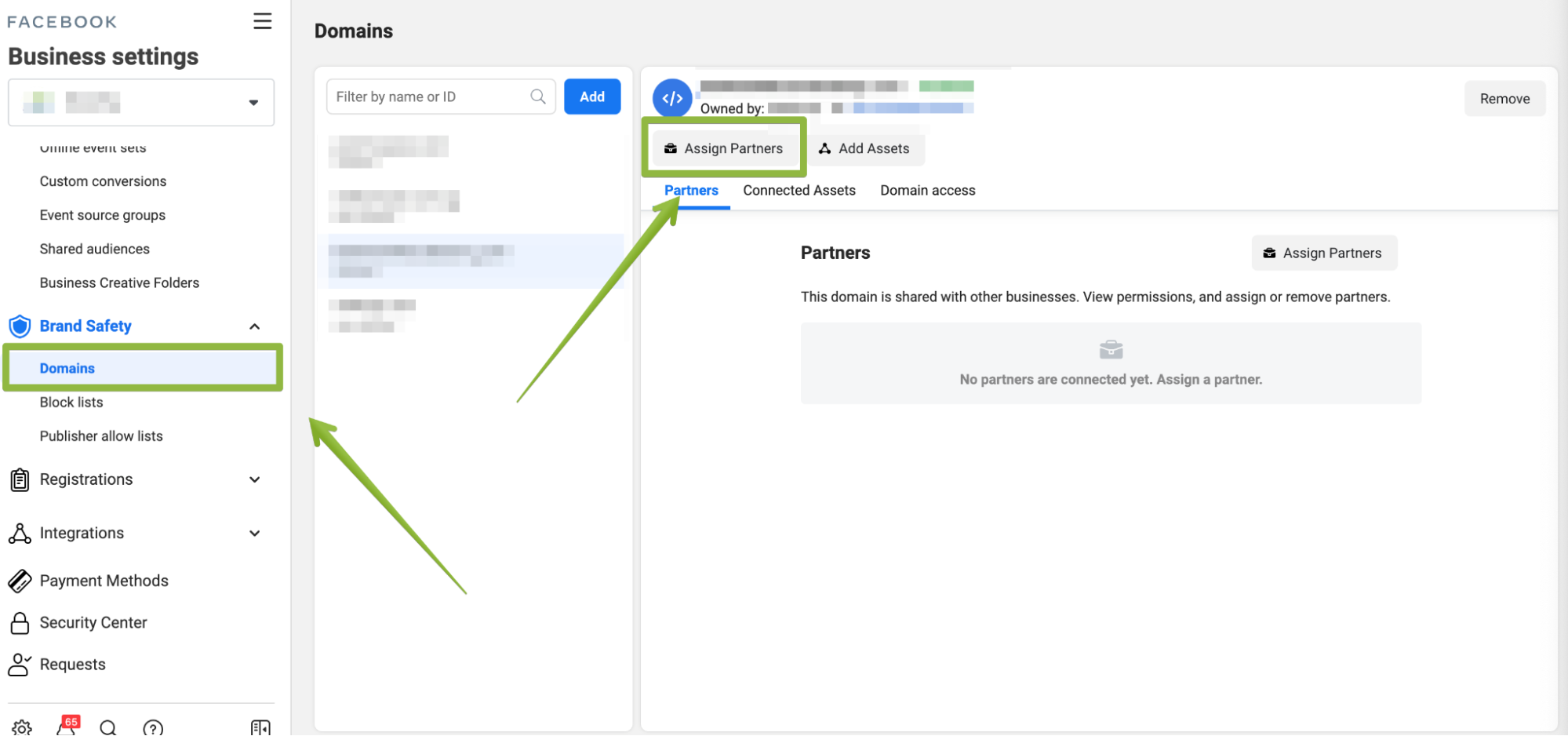
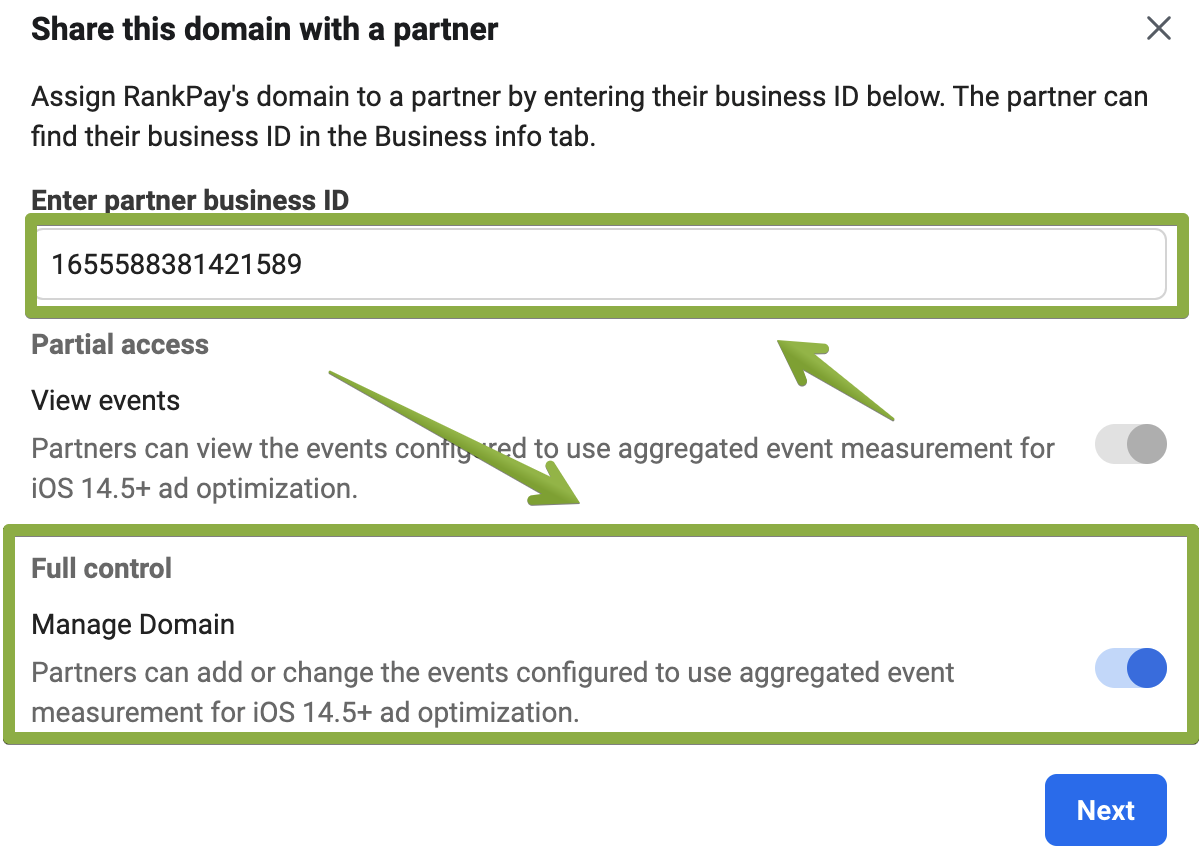
If at any point you have issues with this process please reach out to your account manager so that they can assist you.
Using Facebook Business Suite (Meta Business Suite)
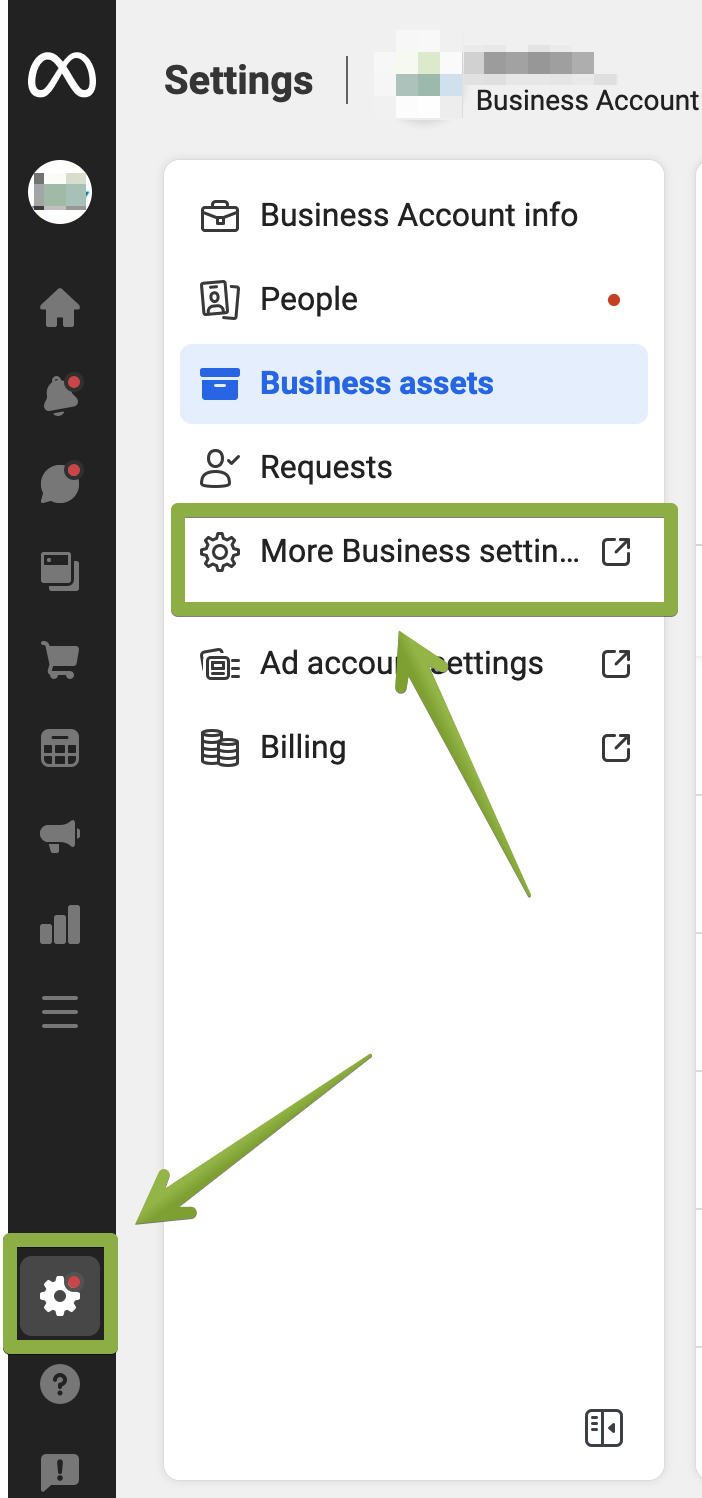
If you are using the new user interface “Facebook Business Suite” you might notice that most of the guides are not easy to follow and it takes a lot of steps to get you to the normal settings pages. You can easily revert to the old Facebook Business Manager UI and skip the confusion by following these steps:
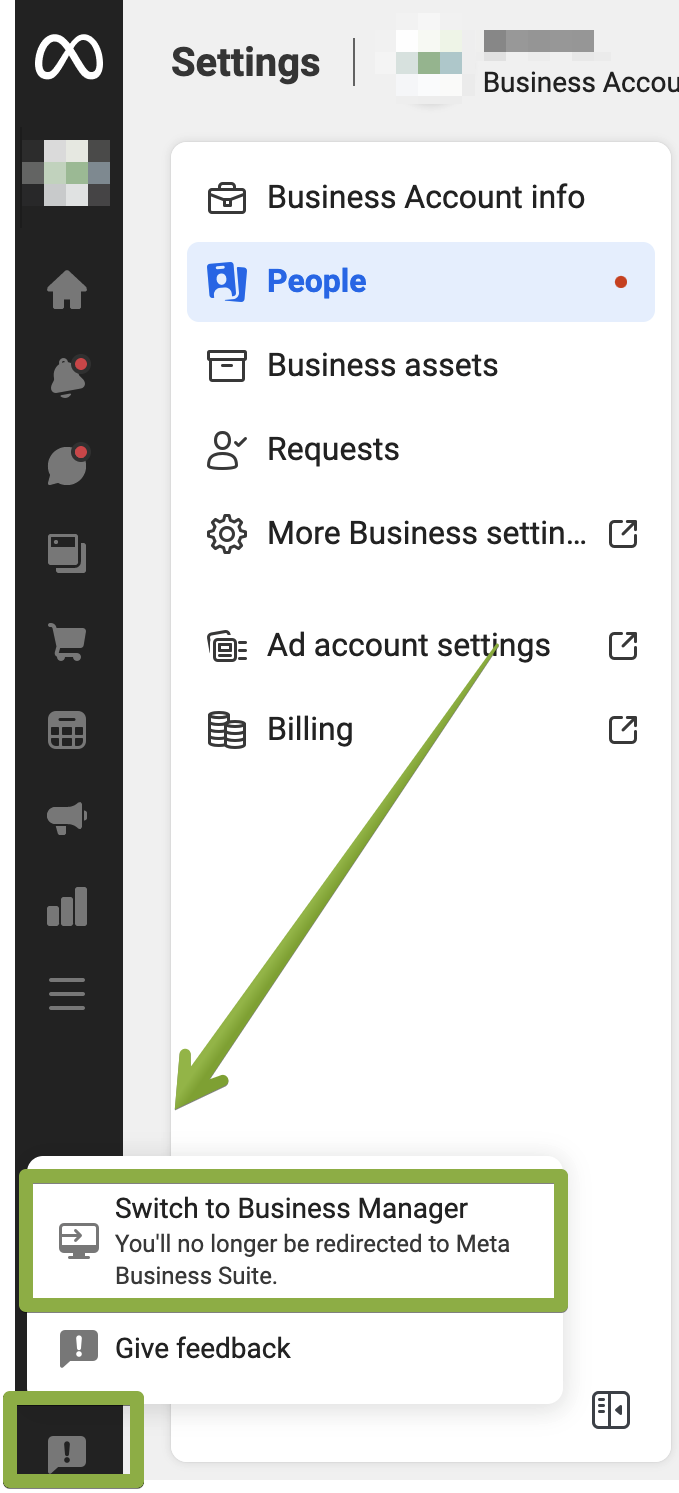
If you would like to keep using the new “Facebook Business Suite” you can still navigate to the settings, and resume following steps within the normal guides. To do this: